

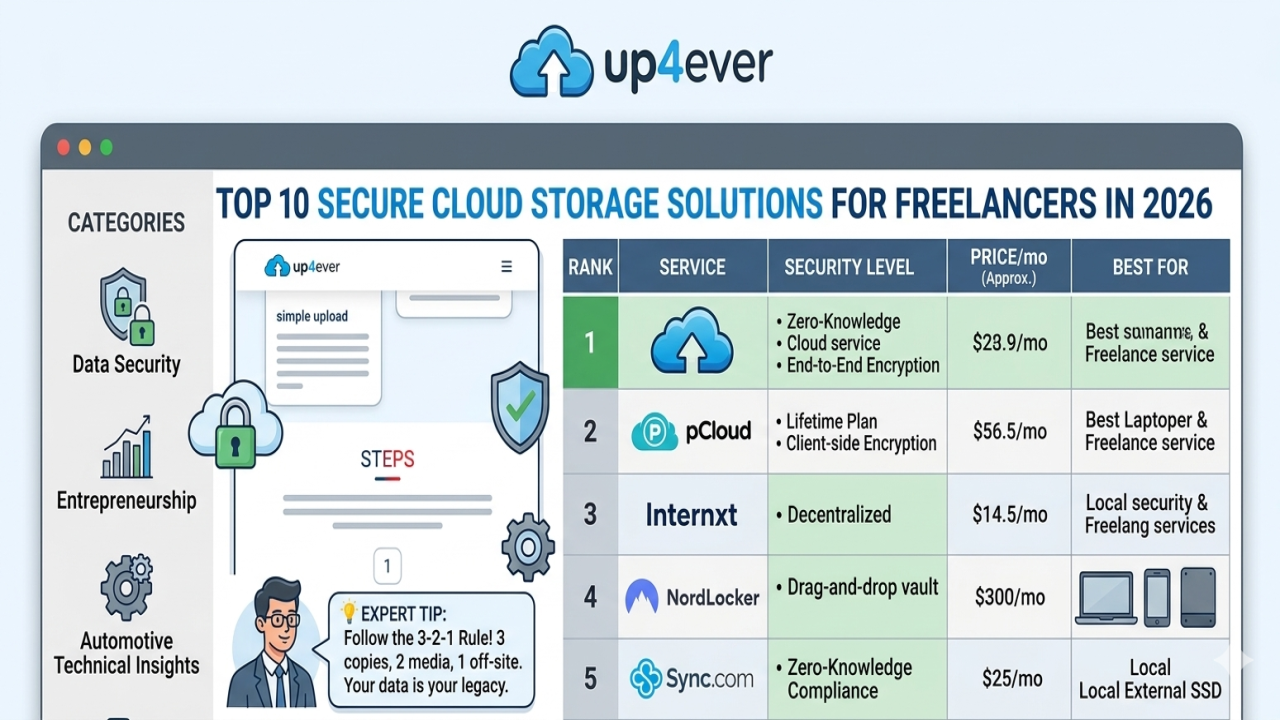
Top 10 Secure Cloud Storage Solutions for Freelancers in 2026
Imagine this: It’s 2 AM, and you’ve just finished a high-stakes project for a client in New York. You click "Save," but your local drive makes a clicking sound—the dreaded "Click of Death." Panic sets in. For a freelancer, data isn't just files; it's your reputation, your income, and your peace of mind. I’ve been there, losing months of mechatronic diagnostic data because I relied on a cheap USB stick. That night changed how I view data. In 2026, with AI-driven cyber threats on the rise, "good" storage isn't enough. You need a fortress.
Why Cloud Security is Non-Negotiable for Freelancers in 2026
The digital landscape has evolved. We are no longer just fighting simple viruses; we are up against automated ransomware and sophisticated phishing. As freelancers, we handle sensitive client information, financial records, and proprietary designs. A breach doesn't just delete files; it ends careers. Secure cloud storage is your primary defense line.
Common Vulnerabilities (The "Symptoms")
- Credential Stuffing: Hackers using leaked passwords from other sites to enter your cloud.
- Unencrypted Transfers: Data being intercepted while uploading on public Wi-Fi.
- Lack of Zero-Knowledge: Providers who can technically "peek" into your files.
Top 10 Secure Cloud Storage Solutions (Ranked for 2026)
| Solution Name | Price (Approx.) | Key Features | Drawbacks |
|---|---|---|---|
| Proton Drive | $4.99/mo | Swiss Privacy, End-to-End Encryption | Slower upload speeds |
| pCloud (Crypto) | $175 (Lifetime) | Lifetime plan, Client-side encryption | Crypto is a paid add-on |
| Internxt | $0.99/mo (Entry) | Decentralized, Open Source | Newer ecosystem |
| NordLocker | $3.99/mo | Drag-and-drop encryption vault | Limited free tier |
| Sync.com | $8/mo | 100% Zero-Knowledge compliance | UI feels outdated |
Step-by-Step: Securing Your Freelance Assets
Choosing a provider is only 50% of the battle. The rest is how you set it up. Follow these steps to ensure your files are bulletproof:
- Enable Hardware 2FA: Don't rely on SMS. Use a physical key like a YubiKey or an Authenticator app.
- Create an "Encryption Vault": Even within a secure cloud, encrypt your most sensitive files (like PDF contracts or ECU binary files) locally before uploading.
- Audit Shared Links: Monthly, go through your "Shared" folder and revoke access to old client projects.
- Verify Zero-Knowledge: Ensure your provider does not store your master password on their servers.
💡 Expert Technical Tip: From my experience in mechatronics engineering and data logistics, I always recommend the 3-2-1 Rule. Keep 3 copies of your data, on 2 different media (Cloud + Local External SSD), and 1 copy off-site (Encrypted Cloud). Never trust a single point of failure.
How to Recover from a Data Breach
If you suspect your cloud account has been compromised, act immediately:
- Step 1 (The Cause): Identify the leak source. Was it a weak password or a malware-infected laptop?
- Step 2 (The Action): Change your master password from a clean device and force-log out all active sessions.
- Step 3 (The Solution): Restore your files from a previous "Snapshot" or "Version History" point provided by your cloud service.
Conclusion: Investing in Future-Proof Security
As we navigate through 2026, the border between our physical and digital lives is thinner than ever. For a freelancer, your data is your legacy. Whether you are storing graphic design source files or complex automotive diagnostic logs, the security of that data determines your professional longevity. Don't wait for a disaster to happen. Choose one of the Top 10 solutions mentioned above and secure your digital future today.



Comments (0)
No comments found